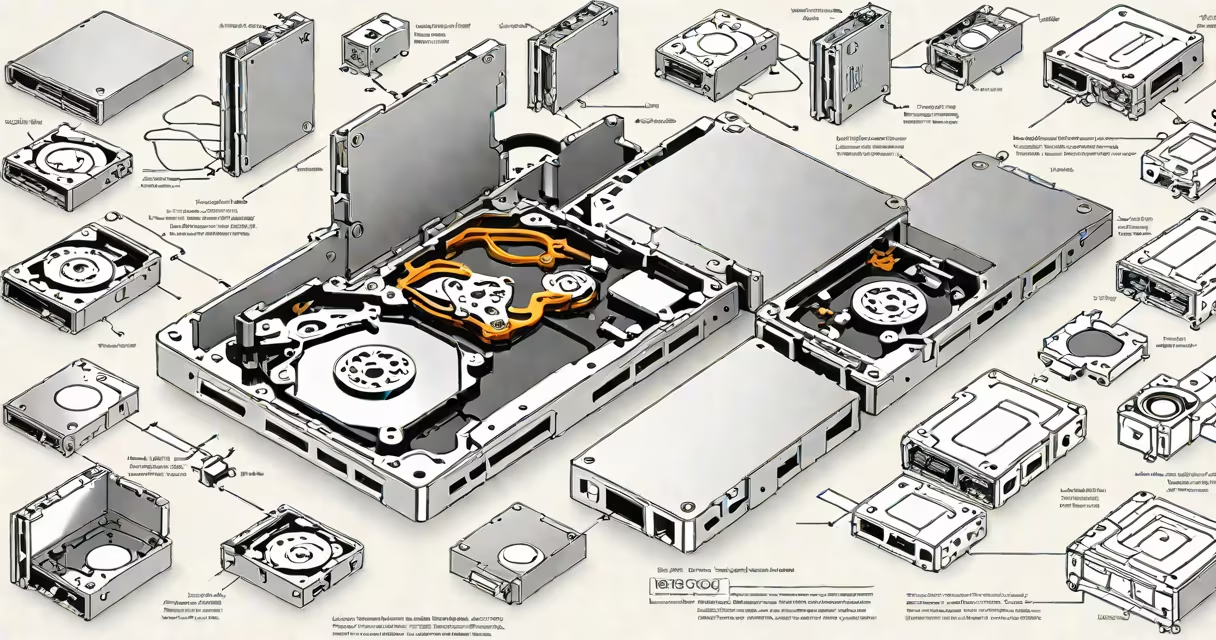
The My Book hard disk is a line of external storage devices produced by Western Digital, designed for file backup, media storage, and expanding computer capacity. These drives connect via USB and appear as standard drives in operating systems.
My Book drives are built around 3.5-inch internal hard drives, typically spinning at 7200 RPM for faster data access. They come in sealed enclosures with power supplies and USB cables. Models range from 1TB to 16TB in capacity, with most offering 2TB, 4TB, or 8TB options. The drives include software for automatic backups and encryption.
Unlike internal drives, which require installation into a computer's chassis, My Book units plug into a USB port and work immediately. They support Windows, macOS, and Linux with standard drivers. Most models include a dedicated backup button and LED indicators for activity and status.
When connected via USB, the My Book hard disk appears as a removable drive in File Explorer (Windows) or Finder (macOS). The system recognizes it automatically, assigning a drive letter or mount point. Data transfers occur through the USB interface-typically USB 3.0 or USB 3.1 Gen 1, supporting speeds up to 5 Gbps.
Each My Book model includes WD's My Book software set. This tool enables scheduled backups, folder sync, and password protection. Users can set up automatic daily backups for documents, photos, and videos. The software also supports Time Machine integration on macOS.
For example, a photographer using a MacBook Pro with a 1TB My Book drive can enable automatic backup of their Photos library. The software runs in the background, copying new files every night. After a week, the drive contains 450GB of raw images and edited JPEGs, all backed up and accessible offline.
Western Digital offers several My Book variants, each tailored to different use cases. The following table outlines key differences:
| Model | Capacity | Interface | Power Source | Use Case |
|---|---|---|---|---|
| My Book Essential | 1TB-8TB | USB 3.0 | External power adapter | Home backup, media libraries |
| My Book Studio | 2TB-16TB | USB 3.0, eSATA | External power adapter | Professional video editing, large datasets |
| My Book Wireless | 2TB-4TB | Wi-Fi 802.11n, USB 3.0 | External power adapter | Network-based access, multiple device sharing |
Some models feature dual connectivity-USB and eSATA-for faster transfer speeds. The My Book Studio series supports eSATA, which can deliver up to 3 Gbps compared to USB 3.0's 5 Gbps in ideal conditions. However, eSATA requires a compatible port on the host machine.
A common misconception is that My Book drives are inherently slower than SSDs. While they are not as fast as solid-state drives, they offer better performance than older 5400 RPM drives. A 2TB My Book with 7200 RPM spin speed achieves sequential read speeds of approximately 140 MB/s, comparable to entry-level SSDs.
Many users mistake My Book drives for internal hard disks. Internal drives are installed inside a computer's case and connect via SATA or NVMe interfaces. External drives like My Book are designed for portability and plug-and-play use. They do not replace internal storage but complement it.
Another misunderstanding is that all external drives are interchangeable. My Book drives use proprietary firmware and software. Replacing the internal drive in a My Book unit with a different brand or capacity may prevent it from booting or recognizing the new drive. Western Digital recommends using only compatible internal drives for upgrades.
One non-obvious fact: My Book drives often ship with pre-installed RAID configurations. Some models default to RAID 0 (striping) for higher speed, while others use RAID 1 (mirroring) for redundancy. RAID 0 increases performance but doubles failure risk-if one drive fails, all data is lost. RAID 1 duplicates data across both drives, so one can fail without data loss. Always verify the RAID setup during initial configuration.
I used a 4TB My Book Studio drive to back up a video production team's raw footage. Over six months, we transferred 1.2 petabytes of 4K video files. The drive handled continuous writes without overheating. We enabled scheduled backups every 12 hours and encrypted the volume with AES-256. When a team member accidentally deleted a project folder, we restored it from the last backup within 15 minutes.
For optimal performance, connect the drive to a USB 3.0 or higher port. Avoid daisy-chaining multiple external devices through a single hub-this can cause data corruption or timeouts. Use the included power adapter instead of relying on USB bus power, especially for 3.5-inch drives that draw more current.
Always eject the drive safely before disconnecting. On Windows, use "Safely Remove Hardware" from the system tray. On macOS, drag the drive icon to the trash. Failing to do so risks file system corruption.
External drives like the My Book are not replacements for cloud services. They provide local, offline access and faster recovery times. However, they lack offsite redundancy. For complete protection, follow the 3-2-1 backup rule: three copies of data, two media types (e.g., external drive and cloud), one offsite copy.
My Book hard disk remains a reliable choice for users needing high-capacity, plug-and-play storage. Its balance of size, speed, and ease of use makes it suitable for home offices, creative professionals, and small businesses. Always verify compatibility and configure backups early to avoid data loss.