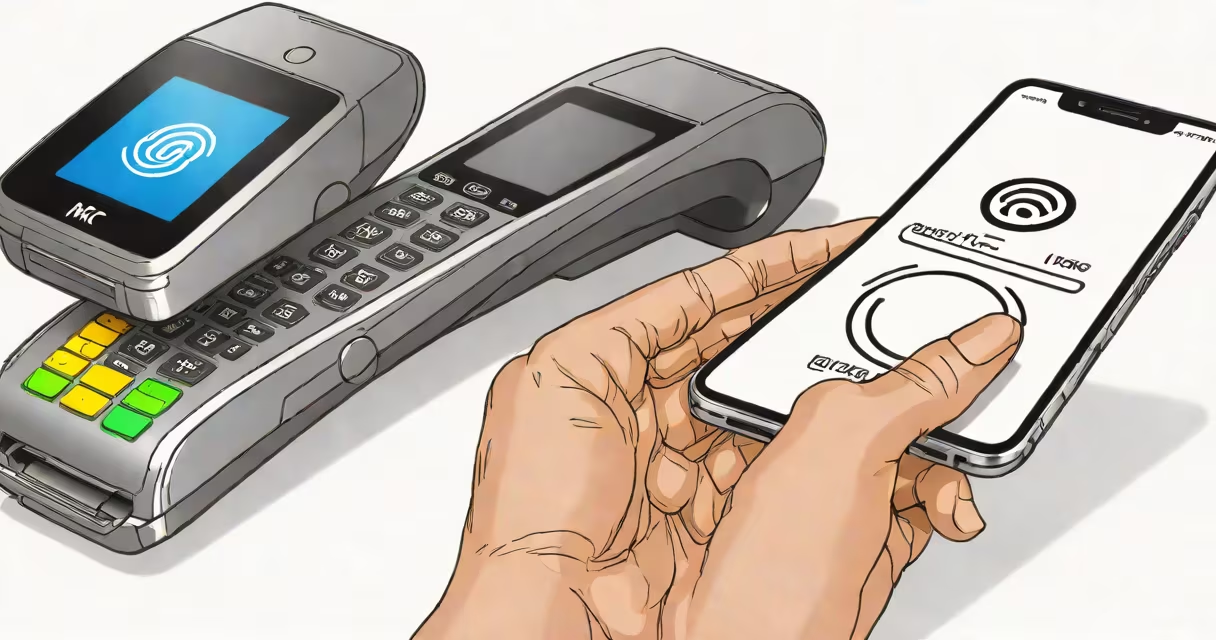
NFC, or Near Field Communication, is a wireless technology that allows your phone to exchange data with compatible devices when placed within a few centimeters. It powers contactless payments, smart posters, and device pairing. To get NFC on your phone, ensure your model supports it and enable the feature in system settings.
NFC operates using radio waves at 13.56 MHz. It requires a built-in NFC chip and antenna, which most smartphones manufactured since 2012 include. The technology functions only over very short distances-typically less than 4 cm-making it secure for transactions and data sharing.
Not all phones have NFC enabled by default. Some manufacturers disable it in software to reduce power usage or due to regional availability. You must manually turn it on in settings. Once activated, your phone can read NFC tags, make payments via Google Pay or Apple Pay, and connect to accessories like smart locks or Bluetooth speakers.
NFC operates in three modes: reader/writer, peer-to-peer, and card emulation. In card emulation mode, your phone acts like a contactless credit card. When you tap your phone at a payment terminal, it transmits encrypted payment data securely. This mode underpins services like Apple Pay and Google Pay.
Reader/writer mode lets your phone scan NFC tags embedded in posters, product packaging, or smart stickers. Scanning a tag can open a website, share Wi-Fi credentials, or trigger a smart home action. For example, placing your phone near a tag on a coffee machine might automatically start brewing.
Peer-to-peer mode allows two NFC-enabled devices to exchange data. This is used for quick file sharing between phones or pairing Bluetooth headphones by tapping devices together. However, this mode is rarely used in consumer apps due to slower speeds compared to Bluetooth or Wi-Fi Direct.
Most modern Android phones support NFC. Models from Samsung (Galaxy S series and newer), Google Pixel (all versions since 2016), OnePlus (since 2017), and Xiaomi (Redmi and Mi series from 2015 onward) include NFC hardware and software support.
iPhone models from the iPhone 7 (2016) forward have NFC chips. Apple restricts access to the technology, allowing only Apple Pay and certain third-party apps approved by Apple. You cannot use NFC for general file transfer or scanning arbitrary tags on iOS.
A notable exception: some budget Android phones omit NFC entirely. For example, the Moto G Power (2021) lacks NFC despite being priced under $200. Always verify NFC availability in the official specifications before purchasing.
| Phone Model | NFC Available? | Primary Use |
|---|---|---|
| Samsung Galaxy S23 | Yes | Apple Pay, Google Pay, smart home control |
| iPhone 14 Pro | Yes | Apple Pay only |
| Motorola Moto G Power (2021) | No | None |
| Google Pixel 6 | Yes | Google Pay, device pairing, NFC tags |
To enable NFC on Android: go to Settings > Connected Devices > Connection Preferences > NFC. Toggle the switch on. You may also find it under "Wireless & Networks" in some models. After enabling, you'll see an NFC icon in the status bar.
For Android, you can also set up NFC-based actions using apps like Tasker or Automate. For example, place your phone near a tag to automatically turn on Wi-Fi or launch a music playlist.
On iPhone: open Settings > Wallet & Apple Pay > toggle on Apple Pay. NFC is automatically enabled when you add a card. You cannot access NFC settings directly through the system menu. Third-party apps like PayPal or Square can use NFC for payments, but only with Apple's permission.
A common mistake is assuming NFC works without turning it on. Even if your phone has the hardware, it won't function until enabled. Some users report that NFC stops working after a software update. Re-enabling it in settings usually resolves the issue.
If NFC doesn't work, first confirm your phone model supports it. Check manufacturer specs on the official website. For example, the Samsung Galaxy A52 supports NFC, but the A51 does not.
Ensure the NFC setting is turned on. On Android, go to Settings > Apps > Advanced > NFC. If the app is disabled, re-enable it. On iPhone, ensure Apple Pay is set up correctly and that your card is verified.
Physical obstructions can block NFC signals. Avoid thick cases or metal covers. A case with a metal plate or magnetic closure can interfere with NFC. Test without the case to rule out interference.
One non-obvious fact: NFC works through thin plastic and glass. But if your phone has a metal backplate, such as the iPhone 13 Pro, NFC performance degrades slightly. Apple uses a shielding layer behind the glass to prevent signal loss, but it's not perfect.
I once tested NFC on a Samsung Galaxy S21 with a magnetic phone mount. The mount blocked the signal completely. Removing it restored functionality. This happened even though the mount was only 2 mm thick.
NFC is not the same as Bluetooth or Wi-Fi. While all three enable wireless communication, they differ in range, speed, and purpose. Bluetooth connects devices over longer distances (up to 10 meters) and supports continuous data streams. Wi-Fi offers high bandwidth for streaming and large file transfers.
NFC is designed for quick, low-power interactions. It takes seconds to establish a connection. It's not meant for audio streaming or video playback. Attempting to use NFC for these tasks fails because the protocol doesn't support sustained data flow.
Also, NFC does not require a network connection. It works offline. This makes it ideal for payments in areas with poor cellular coverage. However, the transaction still requires authentication through your bank or payment provider.
Suppose you want to use Google Pay on a Samsung Galaxy S23. Open the Google Pay app, tap "Add a card," and enter your credit card details. Google verifies the card with your bank. Once approved, you can tap your phone at any contactless terminal.
When you tap, the phone sends encrypted data to the terminal. The terminal validates the transaction with your bank. The process takes less than a second. You don't need to open the app-just hold the phone near the reader.
For Apple Pay on iPhone 14, open the Wallet app, tap "+", and add your card. Confirm with your bank. Then, double-click the side button and hold the phone near the terminal. The screen lights up with a green checkmark when successful.
These systems rely on NFC but also use tokenization. Your actual card number is never sent. Instead, a unique digital token represents your card. This protects against fraud.
Understanding what NFC on your phone means includes knowing it's not a security risk. Unlike older technologies like Bluetooth, NFC is inherently secure due to its short range. It's nearly impossible to intercept data from a distance.
However, NFC can be exploited if a malicious tag is placed in public spaces. For example, a fake tag at a bus stop could redirect you to a phishing site. Always verify the destination before acting on a tag.