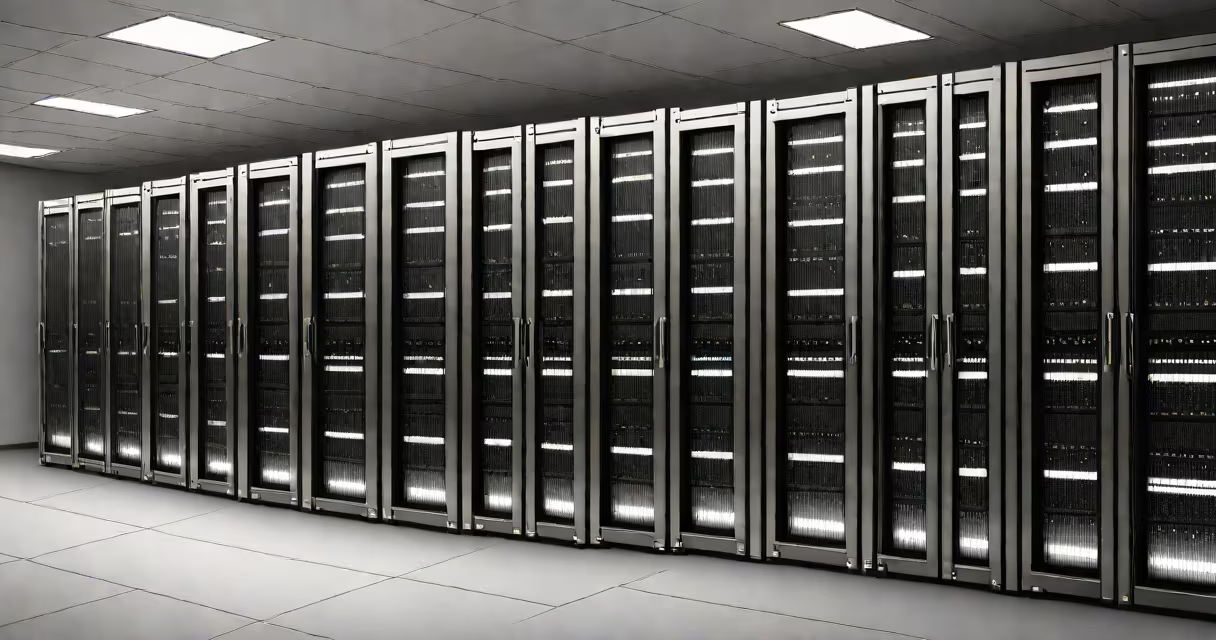
A rack in a data center is a vertical metal enclosure designed to house and organize IT equipment such as servers, storage units, network switches, and power distribution units. It provides structural support, cable management, and consistent airflow to maintain optimal operating conditions for sensitive electronics.
Racks are standardized using the unit called a "U" (rack unit), where 1U equals 1.75 inches of vertical space. Common rack heights include 42U, 48U, and 72U, allowing for scalable deployment of hardware across multiple floors or rooms. These dimensions ensure compatibility across vendors and facilities, enabling consistent installation and maintenance.
According to the U.S. Department of Energy's Advanced Manufacturing Office, proper rack design contributes to energy efficiency by improving airflow and reducing hotspots-critical factors in lowering cooling costs across large-scale data centers. A well-planned rack layout can reduce energy consumption by up to 15% compared to poorly managed configurations.
Racks serve as the foundational structure for organizing and powering IT hardware. They mount securely to the floor or wall, often within raised-floor environments where cables and cooling ducts run beneath. Equipment is bolted into slots along the rails, which slide out for easy access during installation or repairs.
Cable routing is integrated into the rack's side panels and rear channels. This prevents tangling, reduces signal interference, and simplifies troubleshooting. Most racks include front and rear access doors, allowing technicians to service components without removing entire systems.
For example, a typical 42U rack can hold 42 standard servers stacked vertically, each occupying one U of space. If each server draws 300 watts and operates continuously, the total power load reaches 12.6 kilowatts-requiring dedicated power circuits and PDU (power distribution unit) integration directly into the rack.
Data center racks come in several forms, each suited to different operational needs:
| Type | Height (U) | Use Case | Key Feature |
|---|---|---|---|
| Open Frame | 19-48U | Small offices, edge deployments | Low cost, minimal structure; not enclosed |
| Enclosed | 42-72U | Enterprise data centers | Full sides and doors for security and dust control |
| Wall-Mounted | 1-12U | Network closets, branch offices | Space-saving; limited capacity |
| High-Density | 42U+ | High-performance computing, AI clusters | Optimized for heat dissipation and high power density |
High-density racks differ from standard models by incorporating advanced thermal management features. They often include internal fans, hot/cold aisle containment, and specialized PDUs that monitor current draw in real time. These systems are essential in facilities housing GPU clusters for machine learning workloads, where power draw can exceed 5kW per rack.
One non-obvious distinction: not all racks are created equal in weight capacity. Standard racks support up to 1,500 pounds, but high-density racks may require reinforced flooring and load-bearing supports. A failure in structural integrity due to overloading has caused multiple incidents in commercial data centers, including a 2021 outage at a major cloud provider's facility in Virginia.
Many assume that a rack is simply a metal shelf. In reality, it's a precision-engineered system integrating mechanical, electrical, and environmental controls. Racks are not interchangeable between facilities without verifying mounting hole patterns, rail spacing, and power specifications.
Another misconception is that racks eliminate the need for cooling. On the contrary, they concentrate heat. Without proper airflow design-such as cold aisle containment-racks can create thermal pockets that degrade performance or trigger automatic shutdowns. The Uptime Institute reports that 38% of unplanned outages in data centers stem from overheating, often traced to poor rack placement or blocked vents.
I once observed a misconfigured rack during a site audit: a 42U rack housed six full-height servers at the bottom, leaving the top half empty. This created a dead zone in airflow, causing the topmost device to run 12°C hotter than ambient. After rearranging equipment and installing blanking panels, temperature dropped by 8°C across the rack.
Racks do not operate in isolation. They connect to larger systems such as data center cooling, power redundancy, and network backbones. For instance, a rack's power feed typically links to a UPS (uninterruptible power supply) and then to a generator backup, ensuring uptime during grid failures.
Proper rack organization also affects cooling efficiency. Cold air is directed through the front of the rack, flows through the equipment, and exits via the rear. When racks are placed in rows facing each other, this creates a cold aisle and hot aisle configuration-critical for maintaining consistent temperatures. According to ASHRAE guidelines, maintaining a 20°C inlet temperature and avoiding air mixing improves server lifespan and reduces failure rates.
Understanding what is a rack in a data center reveals it as far more than a storage unit-it's a critical component of infrastructure resilience. Whether supporting a startup's web server or powering a global search engine, the rack helps hardware remains accessible, stable, and efficient under load.
Every modern data center relies on racks to manage complexity. They provide a uniform structure for deploying, monitoring, and maintaining thousands of devices. What is a rack in a data center? It's the core of organized, scalable, and secure IT operations.