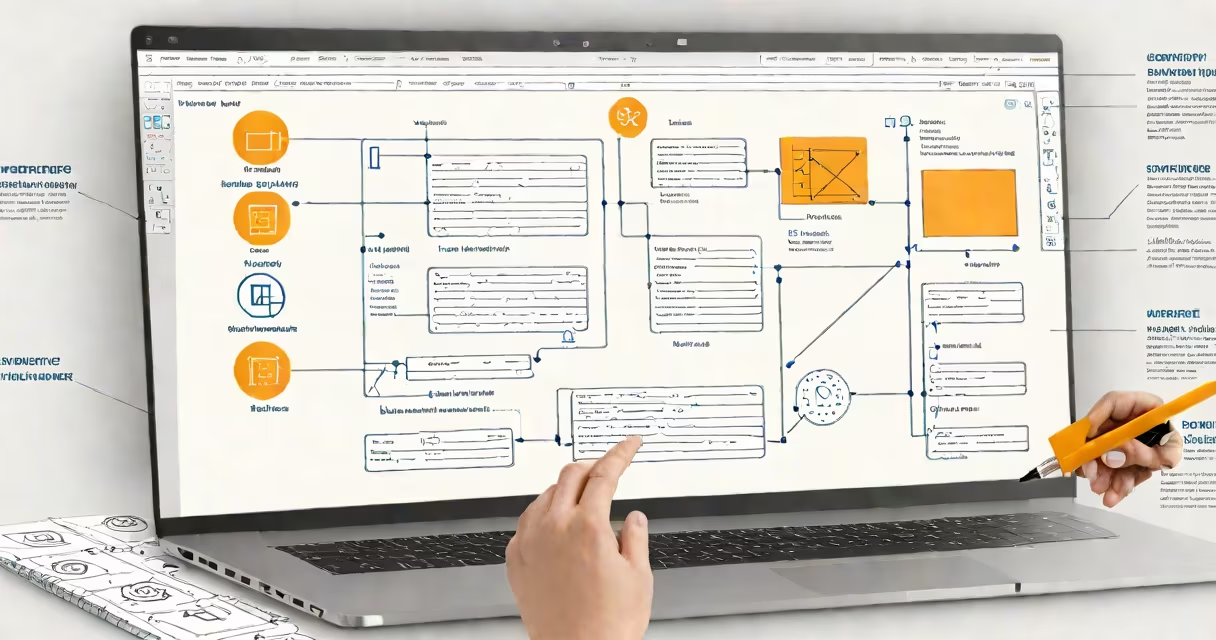
Upgrading key features in software means replacing outdated or limited functionality with newer, improved versions through updates, patches, or version migrations. This process enhances performance, security, and usability while aligning with evolving user needs and technical standards.
Software evolves continuously. Developers release updates to fix bugs, close security gaps, and introduce new capabilities. Upgrading key features ensures systems remain effective, compliant, and competitive. For example, upgrading a customer relationship management (CRM) system's automation engine can reduce manual data entry by 60% and improve lead response time from 24 hours to under 1 hour.
Not all updates affect core functions. Some are minor improvements. Identifying which updates deliver meaningful enhancements requires evaluating impact against risk, effort, and business goals. A 2023 report by Gartner notes that 45% of organizations delay critical software upgrades due to unclear ROI, leading to increased vulnerability exposure.
Upgrading key features follows a structured workflow: identify the need, assess compatibility, test the change, deploy, and monitor results. The process begins with auditing current software versions and comparing them to release notes of newer builds.
For instance, a company using an older version of accounting software may find that the latest release adds automated tax calculation for 12 U.S. states. To upgrade, IT teams first verify that their server environment meets the minimum OS and RAM requirements. They then install the update in a staging environment to validate data integrity and workflow continuity.
After testing, deployment occurs during off-peak hours to minimize disruption. Post-upgrade monitoring tracks error rates and user feedback. If the new tax module reduces processing errors by 30%, the upgrade is confirmed successful. This method prevents downtime and ensures reliability.
Upgrades fall into three categories: patch-level, feature-level, and major version. Patch-level updates fix small issues-like a login timeout bug-and typically take minutes to apply. Feature-level upgrades add new tools-such as AI-powered reporting in project management apps-and require configuration. Major version upgrades replace entire modules-like switching from legacy email filtering to machine learning-based spam detection-and demand significant planning.
| Type | Scope | Time Required | Example |
|---|---|---|---|
| Patch-level | Bug fixes, security hotfixes | 5-30 minutes | Fixing a crash in file export |
| Feature-level | New tools, enhanced interfaces | 1-4 hours | Adding real-time collaboration in document editing |
| Major version | Architecture changes, API shifts | 1-4 weeks | Migrating from on-premise to cloud-based ERP |
Many teams confuse feature-level upgrades with major ones. A feature-level update to a video conferencing app might add noise suppression. A major version upgrade could replace the audio engine entirely, requiring retraining users and updating integrations with calendar systems.
One non-obvious distinction: not all new features are improvements. A 2022 study by MIT Sloan found that 37% of newly added features in enterprise software were underused or abandoned within six months. The reason? Poor alignment with actual workflows. Upgrading only those features that solve real problems avoids wasted effort.
Teams often skip testing environments and roll out updates directly to production. This causes unexpected failures-like a new dashboard breaking existing reports. According to a 2023 survey by the Ponemon Institute, 62% of data breaches linked to software updates stemmed from untested deployments.
Another mistake is assuming all updates are mandatory. Some vendors push optional features that don't address core needs. Prioritizing upgrades based on risk assessment and business value prevents overload. For example, enabling multi-factor authentication in a financial app is essential. Adding a new chatbot interface may wait until user demand grows.
I once managed a rollout of a new inventory tracking module for a retail chain. The team skipped user training and assumed staff would adapt quickly. Within two days, warehouse workers were bypassing the system, entering data manually. After adding role-specific walkthroughs and a quick-reference guide, adoption rose to 94% in three weeks. The lesson: upgrade not just the software, but the people who use it.
Upgrade key features when they address known pain points, support compliance, or enable new operations. For example, upgrading to a version with GDPR-compliant data handling is required for EU operations. Delaying such an upgrade risks fines up to €20 million or 4% of global revenue, per Article 83 of the GDPR.
Watch for signs that an upgrade is overdue: frequent crashes, missing security patches, or inability to integrate with newer tools. A 2024 report from Snyk shows that 78% of software vulnerabilities in production systems stem from outdated dependencies. Regular scanning tools like Dependabot or Snyk CLI can flag these early.
Consider the cost of delay. A hospital that delayed upgrading its patient records system missed a critical interoperability standard. When a new telehealth platform launched, it couldn't exchange data. The result: 17% longer appointment wait times and $1.2 million in lost revenue over six months.
Upgrading key features in software is not a one-time task. It's an ongoing practice of evaluation, testing, and adaptation. Focus on measurable outcomes-reduced errors, faster processing, higher user satisfaction-not just new buttons or flashy visuals.
Understanding how to upgrade key features in software ensures systems stay secure, efficient, and aligned with operational demands. Always assess, test, and measure. The goal isn't just to update-it's to improve.