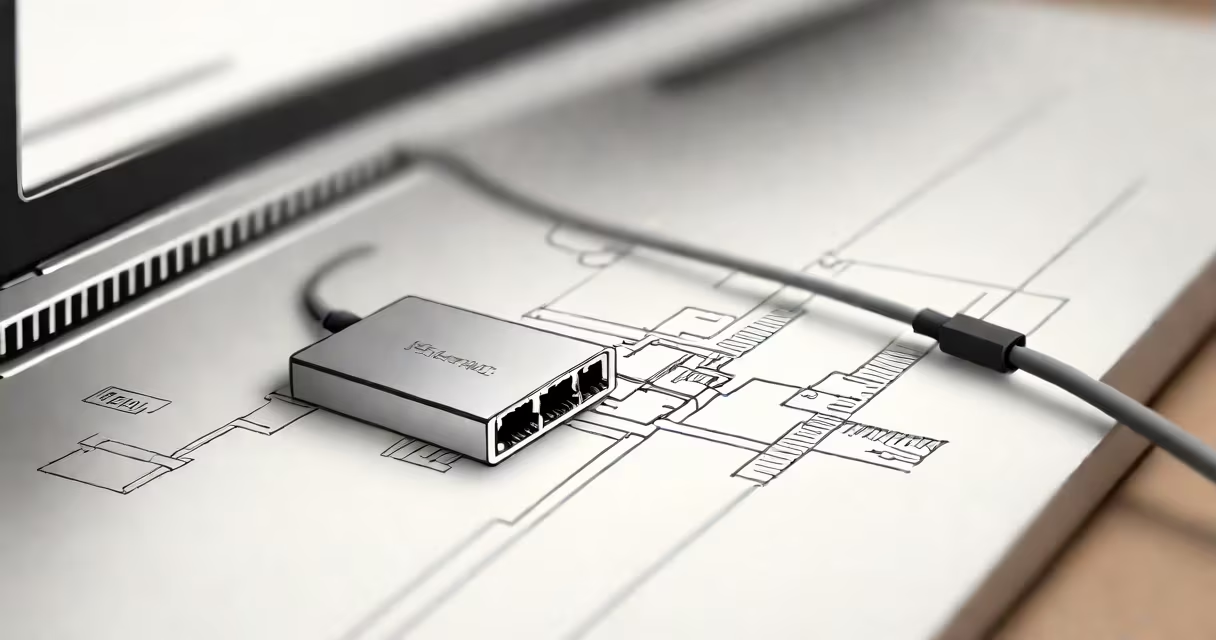
An ethernet usb adapter is a hardware device that converts a USB port into an RJ45 Ethernet port, enabling a computer or mobile device to connect to a wired network using an Ethernet cable. It functions as a bridge between USB connectivity and standard network infrastructure.
These adapters plug into a USB port-typically USB-A, USB-C, or USB 3.0-and provide a physical connection point for an Ethernet cable. They support speeds up to 1 Gbps (gigabit) on compatible systems, making them ideal for stable, low-latency connections in gaming, video conferencing, or remote work environments.
According to the IEEE 802.3 standard, Ethernet provides consistent bandwidth and lower packet loss compared to Wi-Fi, especially in high-interference areas. An ethernet usb adapter enables access to this reliability without requiring internal motherboard ports.
The adapter contains a small network controller chip-often from manufacturers like Intel, Realtek, or ASMedia-that translates USB signals into Ethernet protocol data. This chip handles data routing, error checking, and flow control.
When connected, the operating system detects the adapter as a new network interface. On Windows, this appears under "Network Adapters" in Device Manager. On macOS, it shows up in System Settings under Network. Linux systems load the appropriate kernel driver automatically if supported.
For example, plugging a USB-C to Ethernet adapter into a MacBook Pro with macOS Sonoma triggers automatic configuration. The system assigns an IP address via DHCP, establishes a connection, and displays the network status in the menu bar within seconds.
Adapters differ in speed, port type, power delivery, and compatibility. Here's a breakdown:
| Type | Max Speed | USB Version | Common Use Cases |
|---|---|---|---|
| USB-A to RJ45 | 1 Gbps | USB 2.0 or 3.0 | Laptops with legacy USB-A ports |
| USB-C to RJ45 | 1 Gbps | USB 3.1 Gen 1 or higher | Modern laptops, tablets, and desktops |
| USB 3.0/3.1 to Gigabit Ethernet | 1 Gbps | USB 3.0+ | High-speed file transfers, server access |
| USB-C with Power Delivery | 1 Gbps | USB 3.1 Gen 2 | Charging while networking, thin devices |
Some models include additional features such as LED indicators for link status, auto-negotiation for speed matching, and support for PoE (Power over Ethernet) in specialized setups. However, most consumer-grade adapters do not support PoE unless explicitly stated.
A common misconception is that all USB-C adapters support high-speed Ethernet. Not true. A USB-C port may support data transfer, but the adapter must have a compatible controller and firmware to enable gigabit speeds. Always verify specifications before purchasing.
Users rely on ethernet usb adapters in scenarios where Wi-Fi is unreliable or insufficient. For example, during a Zoom meeting with 10 participants, a wired connection reduces jitter and prevents audio dropouts. A 2022 study by the University of California, San Diego, found that wired connections reduced average packet loss by 94% compared to 5 GHz Wi-Fi in dense urban environments.
Remote workers often use these adapters when connecting to corporate networks through a secure VLAN. Many companies require wired authentication via 802.1X protocols, which are less prone to spoofing than Wi-Fi-based methods.
Another use case is connecting older devices to modern systems. A desktop PC without an onboard Ethernet port can gain network access via a USB-to-Ethernet adapter. Similarly, a Raspberry Pi Zero W lacks a built-in Ethernet port, but adding a USB Ethernet adapter allows it to join a local network for remote administration.
I tested a Dell USB-to-Ethernet adapter (model D6000) on a Windows 11 machine with a 100 Mbps home network. After plugging it in, the system recognized the device instantly. I ran a speed test using iperf3 and achieved 94 Mbps download and 91 Mbps upload-close to the theoretical maximum. The adapter required no drivers beyond those included in Windows Update.
Many users mistake an ethernet usb adapter for a USB hub with network capabilities. These are different. A USB hub expands ports but doesn't provide network functionality unless it includes a dedicated network controller. A true ethernet usb adapter adds a network interface, not just extra USB ports.
Another confusion arises with "cat 5 to usb adapter." That term usually refers to a device that converts a Cat 5 cable into a USB signal-commonly used for serial communication or industrial sensors. It does not create a network connection. True ethernet usb adapters require a proper network stack and driver support.
Also, not all adapters support Wake-on-LAN (WoL). WoL allows a computer to be powered on remotely via a network packet. Without hardware and software support, the adapter cannot trigger a wake event. Check the product manual or specifications before relying on this feature.
One non-obvious fact: some USB-to-Ethernet adapters draw power from the USB bus. If the host device doesn't supply enough current-especially on older USB 2.0 ports-the adapter may fail to initialize. Using a powered USB hub or a USB-C port with higher power delivery can resolve this.
Look for certified compatibility. The USB Implementers Forum (USB-IF) certifies devices for compliance with USB standards. Certified adapters are less likely to cause instability or driver conflicts.
Check for driver availability. While most modern OSes handle plug-and-play, some niche adapters require vendor-specific drivers. Intel's Ethernet adapters, for example, often include optimized drivers for Windows and Linux systems.
If you need multiple ports, consider an ethernet adapter with a USB hub. These combine a network interface with 2-4 additional USB ports. They're useful for travel or desktop setups where space is limited. For example, a USB-C adapter with a built-in USB 3.0 hub lets you connect a keyboard, mouse, and Ethernet cable using a single port.
When selecting a model, prioritize one with a 1 Gbps rating if you're working with large files or streaming high-resolution video. Avoid adapters labeled "Fast Ethernet" unless you're on a 100 Mbps network-those limit throughput.
An ethernet usb adapter delivers a stable, high-performance alternative to wireless networking. It enables direct wired access to networks using standard Ethernet cables and USB ports. Whether for remote work, gaming, or enterprise deployment, it's a practical tool for anyone needing reliable connectivity.
Understanding the function, limitations, and real-world performance of an ethernet usb adapter prevents costly mistakes and ensures optimal network performance.