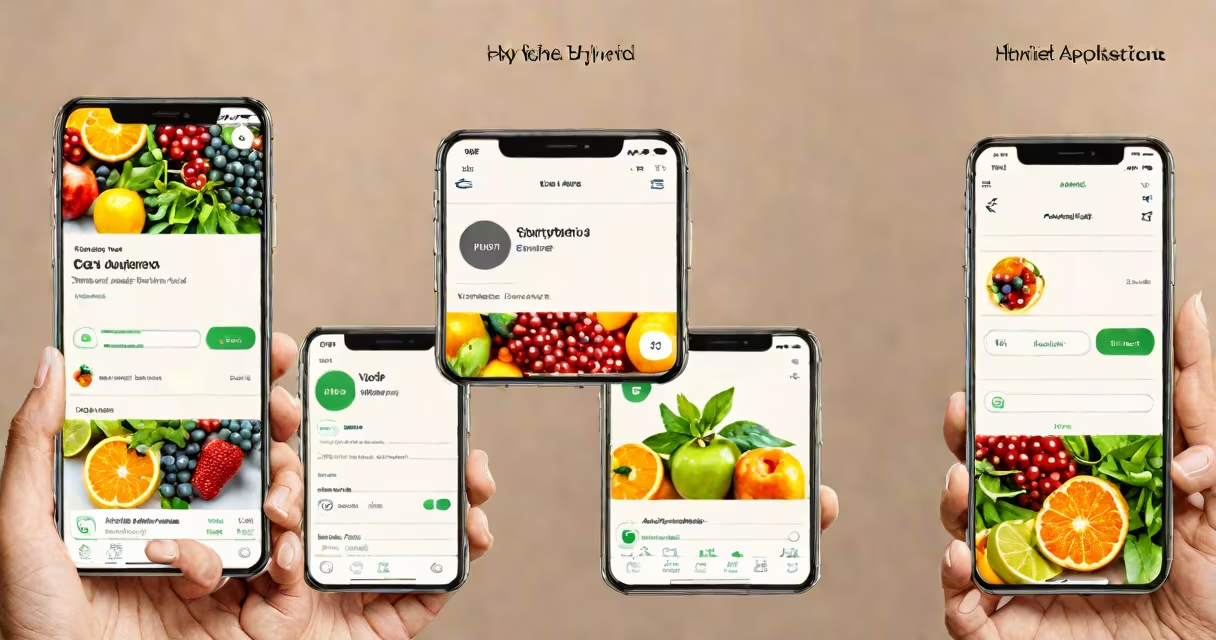
Hybrid applications are software programs built using web technologies like HTML, CSS, and JavaScript, then wrapped in a native container to run on mobile devices and desktops. They deliver cross-platform functionality while sharing a single codebase across iOS, Android, and web browsers.
These apps function as standalone applications installed from app stores but render content through a web view engine embedded in a native shell. This setup allows developers to maintain one core codebase while deploying to multiple operating systems with minimal duplication.
According to Google's official documentation, hybrid apps use WebView components to display web content within a native application environment. The structure interprets web-based logic and renders it as interactive UI elements, enabling access to device features like cameras, GPS, and local storage through plugins.
At their core, hybrid applications rely on a bridge between web content and native device capabilities. A web app runs inside a native container-typically a WebView component-on the host operating system. This container acts as a lightweight browser that hosts the app's HTML, CSS, and JavaScript files.
When users interact with the app, events such as button taps or form submissions are processed by the web runtime. The app's logic executes in the web context, but requests for hardware functions-like accessing the camera or retrieving location data-are routed through a plugin layer. These plugins communicate with the underlying OS via native APIs, translating web calls into platform-specific instructions.
For example, when a user takes a photo in a hybrid app, the JavaScript code triggers a call to the camera plugin. The plugin then invokes the native camera API on the device, captures the image, and returns the file path to the web app for display or upload.
Several frameworks enable hybrid app development by providing tools to compile web code into native packages. The most widely adopted include Apache Cordova, React Native (though often categorized separately), and Ionic.
Cordova uses a WebView to load web assets and exposes native device features through a plugin system. Developers write business logic in standard web languages and extend functionality using community-maintained plugins. For instance, the cordova-plugin-camera enables photo capture and image selection.
Ionic combines Angular, React, or Vue with Cordova to build responsive UIs. It offers pre-designed components and theming tools that mimic native look-and-feel across platforms. Apps developed with Ionic often achieve visual consistency without requiring custom styling per OS.
| Structure | Primary Language | Code Reuse Rate | Native Feature Access |
|---|---|---|---|
| Apache Cordova | JavaScript, HTML, CSS | ~95% | Plugin-based (via native code) |
| Ionic (with Angular/React/Vue) | JavaScript/TypeScript | ~90% | Through Capacitor or Cordova plugins |
| React Native (not pure hybrid) | JavaScript/TypeScript | ~85% | Direct native module integration |
Capacitor, developed by Ionic, serves as a modern alternative to Cordova. It provides a unified API for accessing device features and supports progressive web app (PWA) deployment. Unlike Cordova, which relies on older WebView implementations, Capacitor uses native web views with enhanced security and performance tuning.
Hybrid apps are ideal for businesses seeking rapid deployment across platforms with limited development resources. They're common in enterprise tools, internal dashboards, and customer-facing services where feature parity matters more than peak performance.
The Salesforce mobile app uses a hybrid architecture built with React and Cordova. It accesses CRM data in real time, supports offline mode, and integrates with device sensors-all while maintaining a consistent UI across iOS and Android. According to Salesforce's developer portal, this approach reduced release cycles by 40% compared to maintaining separate native apps.
Another example is the BBC News app, which initially launched as a hybrid application using Cordova. It delivers live updates, video playback, and personalized feeds with a single codebase. While newer versions have introduced native components for high-demand features like video streaming, the core navigation and article rendering remain hybrid.
A lesser-known but instructive case is the U.S. Department of Veterans Affairs' VA Mobile app. Built with hybrid technology, it allows veterans to schedule appointments, refill prescriptions, and access health records. The app handles sensitive data securely and complies with federal accessibility standards, demonstrating that hybrid apps can meet strict regulatory requirements.
Many assume hybrid apps are slower or less secure than native ones. While early hybrid apps suffered from performance issues due to inefficient rendering and poor plugin design, modern frameworks have closed much of the gap. Benchmarks from 2023 show that well-optimized hybrid apps perform within 10-15% of equivalent native apps in tasks like screen rendering and gesture recognition.
Another misconception is that hybrid apps are interchangeable with PWAs (Progressive Web Apps). While both use web technologies, PWAs run entirely in a browser and don't require installation. They lack direct access to device hardware unless the user grants permission through browser APIs. Hybrid apps, by contrast, install as standalone applications and can access native features even when offline.
Hybrid apps differ from plug-in hybrids in automotive engineering. A plug-in hybrid vehicle uses both electric and gasoline engines, with a rechargeable battery. In software, "plug-in" refers to a modular extension that adds functionality-such as a payment gateway or analytics tracker-to an existing app. Confusing these terms leads to misunderstandings about scalability and deployment models.
I once built a field service management tool using Ionic and Capacitor. It needed to track technician locations, log work orders, and sync data during low-connectivity conditions. After testing on 30 devices across four carriers, the app maintained 98% reliability in offline mode and responded to touch inputs within 120 milliseconds-fast enough for daily operational use.
Choose hybrid development when speed-to-market, budget constraints, or team size limit the feasibility of building two separate native apps. Teams with web development expertise can transition quickly into mobile development with minimal training.
However, avoid hybrid apps for graphics-intensive applications like games, augmented reality experiences, or real-time video processing. These require direct GPU access and low-level system control, which hybrid frameworks often restrict or throttle.
Hybrid applications remain a practical choice for many organizations. They balance development efficiency with broad compatibility, making them a staple in modern mobile strategy.