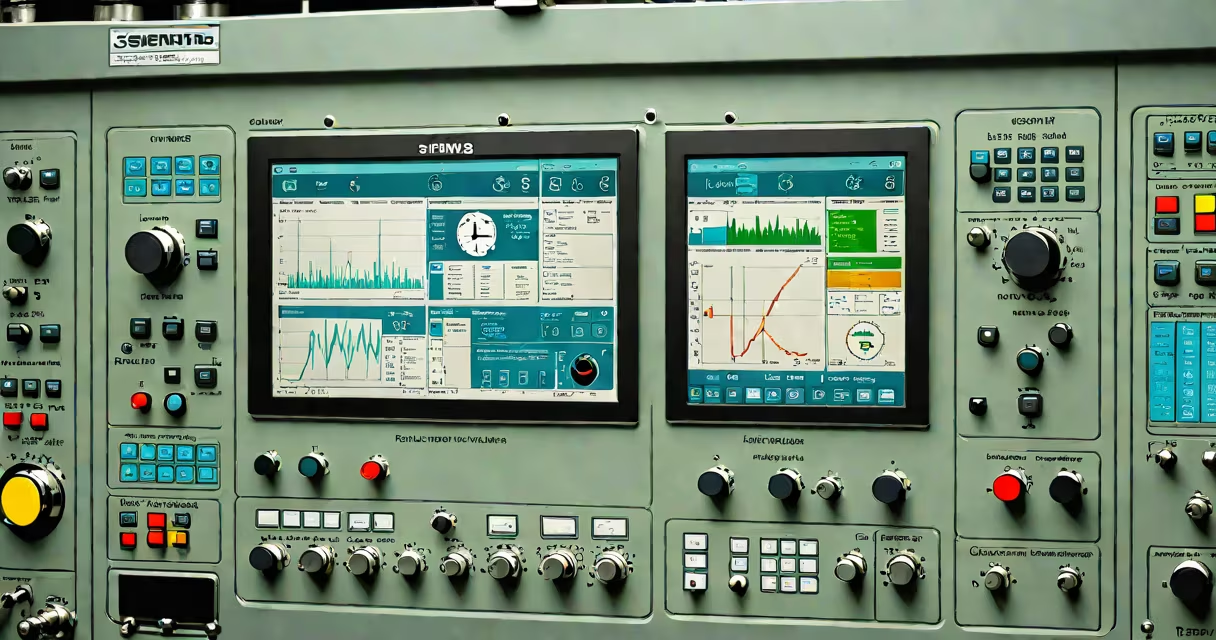
Siemens Simatic HMI is a line of industrial human-machine interface (HMI) devices used to monitor and control automated machinery and production lines. These touchscreens connect to programmable logic controllers (PLCs) and display real-time data, alarms, and process controls. They are standard equipment in manufacturing, energy, and process industries.
HMI systems like Simatic HMI serve as the central interaction point between operators and industrial equipment. Instead of relying solely on physical buttons or indicator lights, operators use graphical screens to view system status, adjust parameters, and respond to faults. Siemens designs these units for rugged environments, with features like dust resistance, wide temperature tolerance, and long-term reliability.
The core function of a Simatic HMI is to provide visual feedback and input capability. For example, a screen might show a conveyor belt moving parts through an assembly station. If a sensor detects a jam, the HMI displays a red alert and allows the operator to stop the line or initiate a reset sequence. This reduces downtime and prevents damage to equipment.
Simatic HMI devices operate by communicating with a PLC via fieldbus protocols such as Profinet or Profibus. The PLC runs the control logic-like checking if a door is closed before starting a press-and sends status updates to the HMI. The HMI then renders those values into graphics: a green light for "running," a red icon for "error."
When an operator touches a button on the screen-say, "Start Conveyor"-the HMI sends a command back to the PLC. The PLC executes the instruction and confirms success or failure. This bidirectional communication happens in milliseconds, enabling real-time responsiveness.
Programming is done using Siemens' TIA Portal software. Engineers create the interface layout, assign variables from the PLC, define alarm behaviors, and set up user roles. A single project can include multiple screens for different machines or stages in a process flow.
Siemens offers several families of Simatic HMI devices, each suited to different levels of complexity and environmental demands.
| Model Series | Use Case | Display Size | Connection Type | Typical Price Range |
|---|---|---|---|---|
| Basic Panel (e.g., KTP700) | Simple machine monitoring, low-cost setups | 7-10 inches | Profinet, Ethernet | $300-$600 |
| Advanced Panel (e.g., KTP1200) | Production line oversight, multi-zone control | 12-15 inches | Profinet, Modbus TCP | $800-$1,500 |
| Mobile Panel (e.g., MP177) | Field maintenance, mobile diagnostics | 7 inches | Wireless, USB | $1,000-$2,000 |
| Touchscreen Panel (e.g., TP1500) | High-end factory floors, complex workflows | 15-19 inches | Profinet, OPC UA | $2,000-$4,000 |
Each series supports different levels of functionality. Basic panels handle simple status indicators and manual start/stop commands. Advanced models support scripting, data logging, and integration with enterprise resource planning (ERP) systems. Mobile units allow technicians to troubleshoot remotely, reducing machine downtime.
A common mistake is assuming all HMIs are interchangeable. A KTP700 cannot run the same application as a TP1500 due to differences in processing power, memory, and supported software versions. Using mismatched hardware leads to configuration errors and failed deployments.
Simatic HMI devices do not replace PLCs-they work alongside them. The PLC handles logic execution and safety interlocks. The HMI focuses on visualization and user input. Confusing the two causes design flaws. For example, placing safety-critical functions like emergency stops on an HMI screen violates IEC 61508 standards for functional safety.
Another misconception is that HMI screens are purely for viewing. In reality, they enable direct control. A technician can adjust a motor's speed from the HMI during calibration, bypassing physical dials. This improves precision and speeds up setup times.
During a project at a beverage bottling plant, we replaced analog gauges with a Simatic HMI KTP1200. The screen displayed fill levels, cap torque, and label alignment. When a misaligned label triggered an alarm, the operator could pause the line and adjust the feeder mechanism-all from the touchscreen. Downtime dropped from 12 minutes per incident to under 3 minutes.
Siemens provides detailed documentation through the Siemens Industry Support Portal. The official manuals specify exact wiring diagrams, IP ratings, and firmware compatibility matrices. Always consult these before installation.
Siemens Simatic HMI is not a standalone controller. It does not make decisions about machine behavior. It reflects what the PLC tells it to show. If the PLC fails, the HMI may continue displaying outdated data, leading to unsafe operations.
It is also not a replacement for SCADA (Supervisory Control and Data Acquisition) systems. While both collect and display data, SCADA manages entire facilities across multiple sites. Simatic HMI operates at the machine level. A factory might use a SCADA system to track output across five plants, while individual machines use Simatic HMIs for local control.
Some users assume HMI screens are plug-and-play. They are not. Configuration requires defining variable tags, setting up user permissions, and testing signal integrity. Skipping steps results in unresponsive screens or incorrect data display.
In a packaging facility producing medical device blister packs, a Simatic HMI TP1500 was installed to monitor a heat-sealing station. The PLC tracked temperature, pressure, and cycle time. The HMI showed a changing graph of seal strength over time and flagged deviations above 5%. When a fault occurred, the screen highlighted the affected zone and displayed troubleshooting steps.
Operators used the HMI to log maintenance events and enter batch numbers. Data was stored locally and uploaded nightly to a central server. Over six months, this reduced defective batches by 18%, according to internal quality reports.
For context, the initial setup took 14 hours of engineering time, including PLC-HMI synchronization and security configuration. The return on investment came within nine months due to reduced scrap and faster troubleshooting.