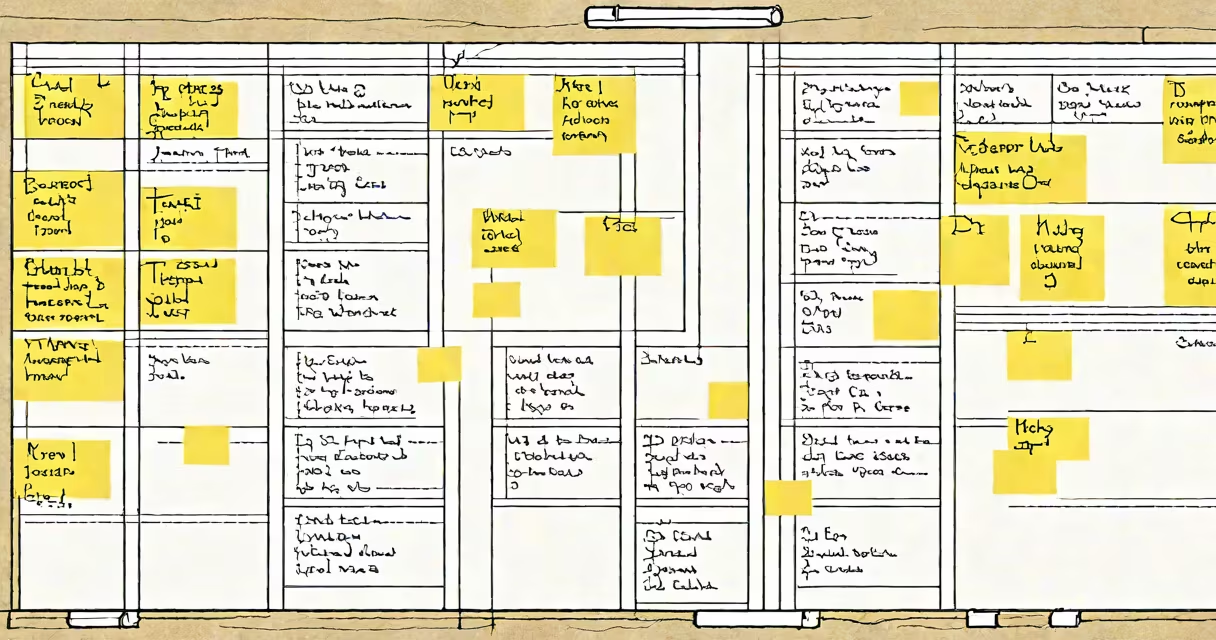
A kanban board is a visual tool that tracks work items as they move through defined stages of completion, using columns and cards to represent tasks and their status. It supports real-time visibility into workflow, limits work-in-progress, and improves team coordination.
The system originated in Toyota's manufacturing process in the 1940s, where colored cards signaled parts needed on the assembly line. Today, it's adapted for software development, marketing campaigns, and personal task tracking. Each card represents a unit of work-like a user story, bug report, or content draft-and moves left to right across columns such as "Backlog," "In Progress," and "Done."
Teams use kanban boards to limit multitasking, identify delays, and maintain steady output. A single board can manage hundreds of tasks while keeping focus on what's actively being worked on. The core principle is continuous flow: work enters, progresses, and exits without backlog accumulation.
Each column on the board defines a stage in the workflow. For example, a software team might use: "To Do," "Design," "Development," "Testing," and "Deployed." Cards move from left to right as work advances. When a card reaches "Done," it's removed or archived.
Work-in-progress (WIP) limits are enforced per column-typically 3-5 items-to prevent overload. If the "Development" column hits its cap, no new tasks can enter until someone finishes one. This forces teams to resolve bottlenecks early.
Physical boards use sticky notes on a wall. Digital versions use tools like Trello, Jira, or Asana. The key difference is persistence: digital boards save history, allow tagging, and integrate with calendars and reporting tools.
While all kanban boards follow the same structure, their application varies by context. The most common types include:
| Type | Use Case | Example |
|---|---|---|
| Single-team | Small group managing internal projects | Marketing team tracking blog posts |
| Enterprise-scale | Multiple departments coordinating across time zones | Product launch involving engineering, design, and sales |
| Personal | Individuals organizing daily tasks | Student managing study sessions and assignments |
| Hybrid | Combining kanban with Scrum or waterfall | Agile team using sprint goals with kanban for daily task flow |
For example, a web development agency might run two boards: one for client projects (using "New," "In Review," "Approved," "Launched") and another for internal operations (e.g., HR requests, IT tickets). This separation prevents cross-contamination of priorities.
One non-obvious distinction: not all kanban boards require daily standups. While Scrum mandates them, kanban only recommends regular syncs. Teams may meet weekly or only when a bottleneck appears. The flexibility reduces overhead compared to rigid frameworks.
Many assume kanban is synonymous with Agile. That's incorrect. Kanban is a method for managing workflow; Agile is a philosophy for delivering software iteratively. You can use kanban within an Agile environment-but not all Agile teams use kanban.
Another myth: kanban boards must be digital. Physical boards on walls remain effective, especially for co-located teams. Research from the Harvard Business Review shows that teams using physical boards reported higher engagement and faster decision-making due to constant visual cues.
Some confuse kanban with Gantt charts. Gantt charts show timelines and dependencies. Kanban shows flow and state. A Gantt chart might say "Feature A: May 1-15," while a kanban board says "Feature A: In Testing - 2 people assigned." The former plans; the latter tracks.
In 2022, a SaaS startup faced recurring delays in product releases. Their engineering team used a Trello-style kanban board with columns: "Backlog," "Ready for Dev," "In Dev," "QA," "Staging," "Live." They set WIP limits to three per column.
After two weeks, they noticed the "QA" column consistently had five cards. Investigation revealed testers were waiting on dev sign-off. They added a rule: no card could enter QA unless a developer marked it "Code Complete." Within one sprint, QA throughput increased by 60%. The board exposed a hidden dependency.
This change reduced release cycles from 14 days to 9. The team didn't add staff or change processes-they just made the workflow visible. That's the power of a clear kanban board definition.
When properly implemented, a kanban board definition enables transparency, accountability, and adaptability. It's not a dashboard-it's a living record of effort. The goal isn't to fill every card but to understand where work gets stuck and why.