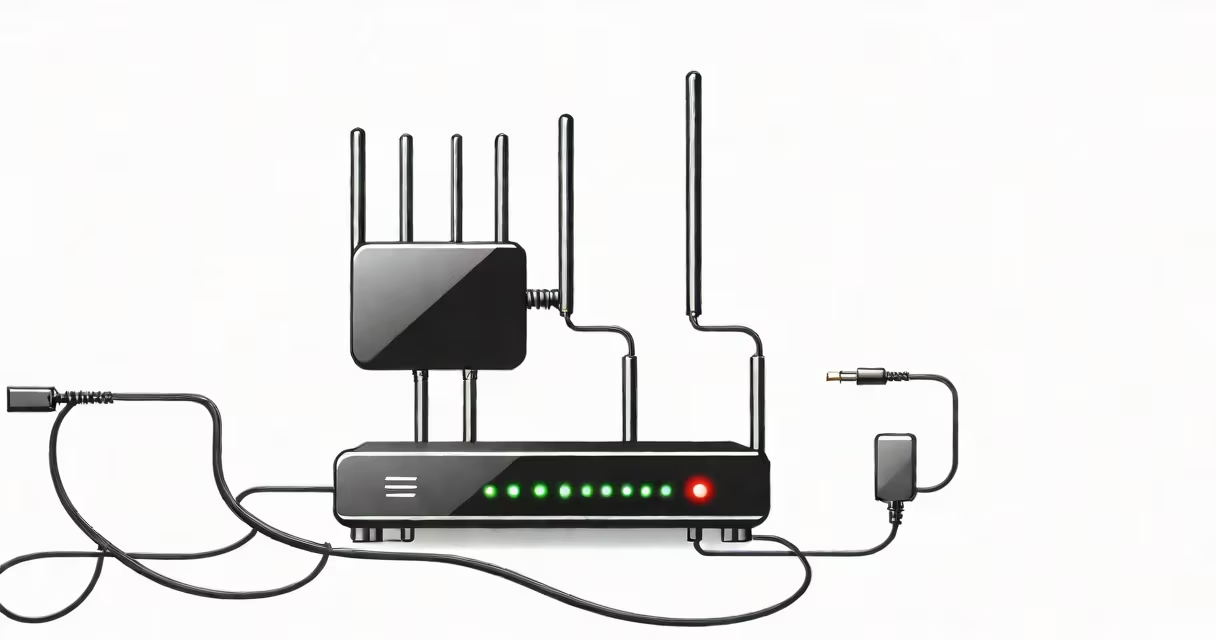
A wifi bridge connection links a wired device to a wireless network by converting Wi-Fi signals into a wired Ethernet connection. It enables devices like desktop computers, smart TVs, or gaming consoles without built-in Wi-Fi to access a network through a wireless signal.
Unlike a Wi-Fi extender, which rebroadcasts a signal to cover more space, a wifi bridge connects to a router wirelessly and provides a stable wired connection to a single device. It's often used when running Ethernet cables is impractical due to distance, walls, or building layout.
For example, a home office located 30 feet from the router may lack a strong Wi-Fi signal. A wifi bridge placed near a window can receive the signal and deliver a reliable wired connection to a desktop PC using an Ethernet cable. This avoids lag and dropped connections common with weak Wi-Fi.
A wifi bridge operates by receiving a Wi-Fi signal from a router and translating it into a wired Ethernet signal. The device connects to the router via Wi-Fi, then outputs a standard Ethernet port for a wired device to plug into.
When configured, the bridge acts as a transparent intermediary. The connected device sees no difference between being plugged into a router directly or through the bridge. It receives an IP address from the network's DHCP server and communicates normally.
Most bridges support WPA2 or WPA3 encryption. They authenticate with the router using the same password as any other Wi-Fi client. Once authenticated, they maintain a persistent connection unless the signal drops below a threshold.
There are three primary types based on form factor and deployment:
| Type | Use Case | Example Devices | Limitations |
|---|---|---|---|
| Standalone bridge | Fixed location, high reliability | TP-Link TL-WN823N, Netgear WNCE2001 | Requires power and Ethernet port |
| USB adapter bridge | Quick setup for laptops or older PCs | ASUS USB-N10, D-Link DWA-125 | Limited range; dependent on USB port speed |
| Mesh node as bridge | Integrated systems with changing routing | Google Nest WiFi, Eero Pro 6 | Only works within proprietary mesh networks |
Standalone bridges offer the most control and stability. They're ideal for permanent setups like home offices or media centers. USB adapters are portable and easy to install but less reliable under heavy load.
Mesh nodes can function as bridges, but only when part of a compatible system. For example, a Google Nest Wifi point can connect wirelessly to the main router and provide a wired Ethernet port for a TV. However, this feature requires the entire system to be set up together.
Many people mistake a wifi bridge for a Wi-Fi extender. While both extend network reach, they serve different purposes. An extender rebroadcasts the Wi-Fi signal to increase coverage area. A bridge delivers a wired connection using a wireless link.
Another misconception is that a bridge improves Wi-Fi speed. It doesn't. The wired device gets the same bandwidth as the bridge's Wi-Fi connection allows. If the bridge is 100 feet from the router and experiences interference, the maximum speed will be limited by that link, not the device's Ethernet capability.
Some users assume bridges automatically handle multiple devices. They don't. A single bridge typically supports one wired device. To connect more than one device, you'd need a switch or router connected to the bridge's Ethernet port.
Consider a living room with a 55-inch smart TV and a soundbar. The TV is 25 feet from the router, behind two concrete walls. The Wi-Fi signal is weak, causing buffering during streaming.
To fix this, a TP-Link TL-WN823N standalone bridge is installed on a shelf near a window. It connects wirelessly to the 2.4 GHz band of the router using the correct password. The bridge is powered via USB and connected to the TV with an Ethernet cable.
After configuration, the TV boots up and receives an IP address from the router. Streaming services load without interruption. The bridge maintains a steady connection despite the distance and obstructions. The user reports no video stuttering, confirming the solution works.
This setup uses a single bridge to solve a specific problem: enabling a wired connection where Wi-Fi fails. It's faster and more stable than relying on the TV's internal Wi-Fi receiver.
Use a wifi bridge when you have a device that lacks Wi-Fi but must be connected to the network reliably. Common scenarios include:
It's also useful in buildings with thick walls or metal framing that block Wi-Fi signals. A bridge placed near a window or doorway can capture a usable signal and deliver it via Ethernet.
However, avoid using a bridge if you need to share the connection across multiple devices. In such cases, a Wi-Fi extender or mesh system is better suited.
Common problems include intermittent disconnections, slow speeds, and failure to obtain an IP address. These usually stem from poor signal strength, incorrect settings, or hardware limitations.
If the bridge loses connection, check the signal strength. Most models display a status light: green means good, yellow indicates weak, red means no signal. Move the bridge closer to the router or remove physical barriers.
Ensure the bridge is configured to use the correct Wi-Fi band. Some bridges only support 2.4 GHz. If your router broadcasts on 5 GHz only, the bridge won't connect. Check your router's settings and confirm the bridge supports the required frequency.
For persistent issues, reset the bridge and reconfigure it. Use the manufacturer's setup tool (like TP-Link's Tether app) to simplify the process. Avoid using default passwords or leaving the device in factory mode.
One non-obvious issue: some routers assign IP addresses via DHCP but block traffic from unknown MAC addresses. If the bridge's MAC address isn't whitelisted, the device may fail to connect. Check the router's access control list and add the bridge's MAC address manually.
In my own home, I tried connecting a desktop computer in a basement to a Wi-Fi bridge. The bridge was placed on a bookshelf near a window. The signal was visible but weak. After setup, the computer showed "limited connectivity" and couldn't access the internet.
I checked the bridge's status LED-it was yellow. I moved the bridge to a higher shelf, closer to the ceiling, and the LED turned green. The computer connected within 10 seconds. The issue wasn't the bridge itself, but placement.
This taught me that signal quality matters more than brand or model. Even a high-end bridge fails if it's too far from the router or blocked by furniture.
A wifi bridge connection is a practical solution for connecting wired devices to a wireless network when cabling isn't feasible. It's not a substitute for a strong Wi-Fi signal or a full network upgrade, but it fills a specific gap in home and small office setups.