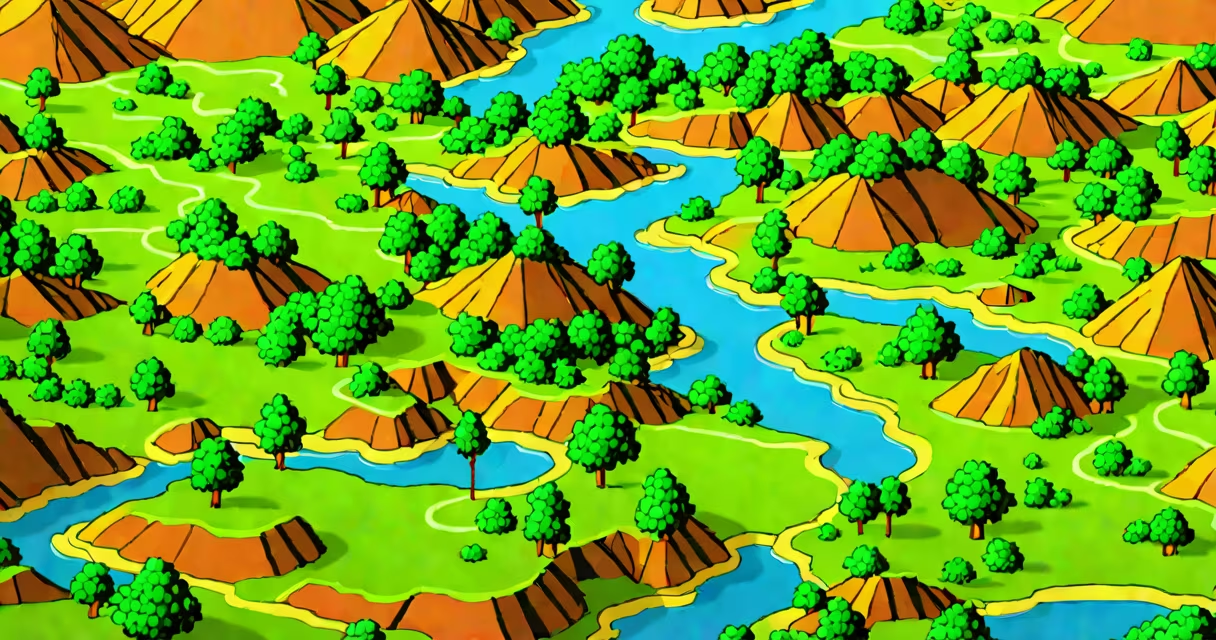
Raster graphics are digital images made up of a grid of individual colored squares called pixels. Each pixel holds a specific color value, and together they form a complete image. This format is standard for photographs, web graphics, and most digital artwork viewed on screens.
Raster graphics rely on resolution-the number of pixels per inch (PPI)-to determine image clarity. A higher PPI means more detail and sharper appearance. For example, a 1920×1080 image contains 2,073,600 pixels. Zooming in reveals individual pixels, which appear as small blocks or squares. This effect is known as pixelation.
These images are stored in formats such as JPEG, PNG, and GIF. They are processed by devices like monitors, printers, and smartphones using software that interprets each pixel's color data. Unlike vector graphics, raster images do not scale smoothly beyond their original size without losing quality.
When you capture a photo with a smartphone or scan a printed document, the device converts light into numerical values representing colors and brightness levels. These values are assigned to pixels in a rectangular grid. The resulting image is a raster graphic.
Each pixel stores color information using a color model. The most common is RGB (Red, Green, Blue), where each color channel uses 8 bits. That gives 256 possible intensity levels per channel, resulting in 16.7 million color combinations (256³). An image with 1 million pixels and 24-bit color depth requires about 3 megabytes of storage.
Software like Adobe Photoshop or GIMP manipulates raster graphics by adjusting pixel values. Editing tools apply filters, adjust contrast, or remove blemishes by modifying adjacent pixels. This direct manipulation makes raster graphics ideal for photo retouching and digital painting.
Several file formats serve different purposes based on compression, transparency support, and intended use. The table below outlines major raster formats:
| Format | Compression | Transparency Support | Best Use Case |
|---|---|---|---|
| JPEG | Lossy (reduces file size) | No | Photographs, web images |
| PNG | Lossless (preserves quality) | Yes (alpha channel) | Web graphics, logos with transparent backgrounds |
| GIF | Lossless (limited to 256 colors) | Yes (binary transparency) | Simple animations, low-color graphics |
| TIFF | Lossless (optional) | Yes | Professional printing, archival storage |
For instance, a high-quality photograph saved as a TIFF file maintains all original detail and supports layers and metadata. In contrast, a GIF version of the same image would reduce color depth to 256 hues and may introduce banding artifacts in gradients.
Raster graphics dominate digital media because they accurately represent continuous tones and complex textures. Photographs, video frames, and screen captures are almost always raster-based. Web designers use PNGs for icons and buttons requiring transparency, while JPEGs handle product photos due to smaller file sizes.
Video games render scenes using raster graphics. Each frame is a grid of pixels updated at 30-60 frames per second. Game engines like Unity or Unreal Engine generate these images in real time using GPU acceleration. A 1080p game scene has over 2 million pixels per frame, processed millions of times per second.
Print production also relies heavily on raster graphics. High-end printers require images at 300 PPI or higher to avoid visible pixelation. A 4x6 inch photo at 300 PPI needs 720×480 = 345,600 pixels. Lower resolution files produce blurry prints.
Many assume raster graphics are inferior to vector formats because they don't scale infinitely. But this is a misunderstanding of purpose. Raster graphics excel where realism matters-skin texture, lighting effects, and photographic detail. Vector graphics are better for logos, typography, and illustrations that must resize without distortion.
A frequent error is using JPEG for images with sharp edges or text. Lossy compression reduces file size by discarding subtle color changes, but it blurs hard lines. A logo saved as JPEG may show jagged edges or color fringing. PNG is preferred for such cases.
Another misconception is that all digital images are raster. Some formats, like SVG (Scalable Vector Graphics), store shapes mathematically. They scale perfectly to any size. However, even SVGs can include embedded raster elements-such as a background photo within a vector layout.
One non-obvious fact: raster graphics are not inherently lower quality. A 4K monitor displaying a 3840×2160 image at 100% zoom shows no pixelation because the display's native resolution matches the image's pixel count. Quality depends on matching resolution to viewing context.
Consider editing a portrait taken at 4000×3000 pixels. The raw file is saved as a DNG (Digital Negative), a lossless raster format preserving sensor data. You open it in Lightroom, adjust exposure and white balance. The software processes each pixel's luminance and chrominance values.
You then export the image as a JPEG at 80% quality. The algorithm removes redundant color data across neighboring pixels. The file shrinks from 12 MB to 2.4 MB. While some fine details fade slightly, the visual difference is minimal on standard screens.
Finally, you upload the JPEG to a website. The browser renders it at 1920×1080 on a typical desktop. The image appears sharp because the screen's pixel density aligns well with the source resolution. Scaling up to full-screen on a 4K monitor causes slight blur-but only because the image wasn't designed for that resolution.
This workflow demonstrates how raster graphics balance quality, file size, and usability across devices.
Understanding the contrast between raster and vector graphics clarifies their roles. Raster images are resolution-dependent. Enlarging them beyond their original dimensions results in pixelation. Vector graphics use mathematical equations to define shapes, lines, and curves. They scale infinitely without loss.
For example, a company logo drawn in Adobe Illustrator as a vector path remains crisp at 1 inch or 10 feet. Exporting it as a raster PNG at 300 PPI creates a fixed-size image. If you print the vector version at 10 feet wide, the result is flawless. The raster version would appear blurry at that size.
Use raster graphics when capturing real-world visuals. Use vectors for designs that must adapt to multiple sizes-logos, icons, signage, and technical drawings.
When working with digital assets, consider the end-use. If you're designing a brochure, use vector graphics for text and borders. Embed high-res raster images for photos. This hybrid approach ensures both scalability and visual fidelity.