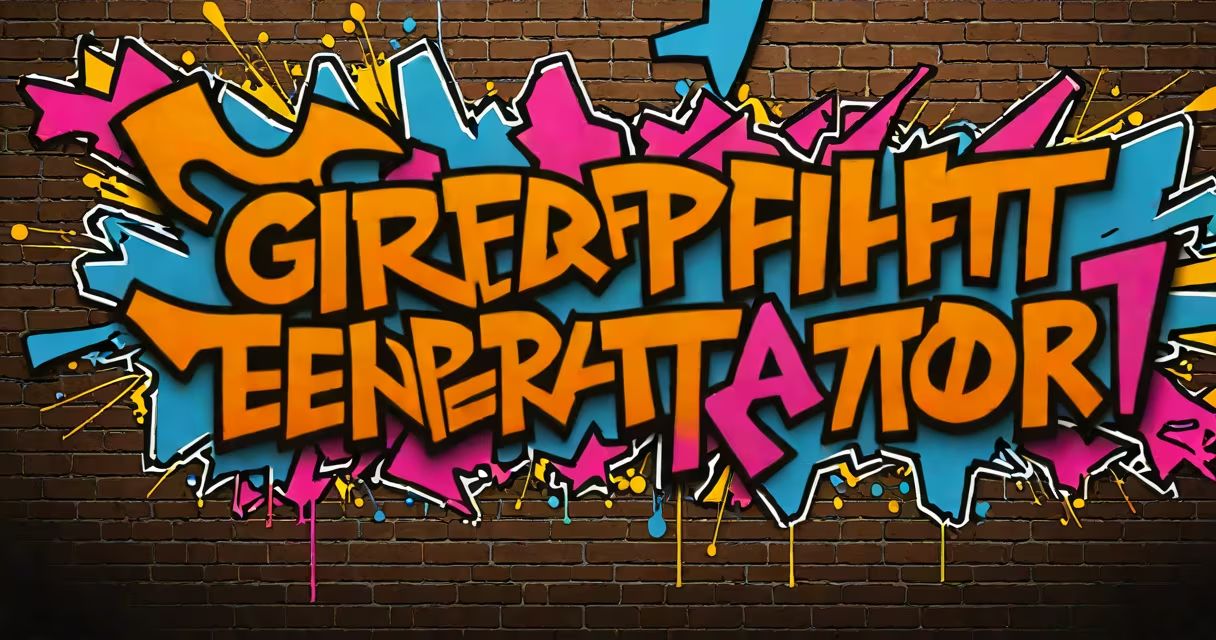
A graffiti text generator is a web-based tool that transforms plain text into stylized, street-art-inspired lettering resembling spray-painted tags. It applies urban design elements such as bold outlines, color gradients, texture overlays, and irregular shapes to mimic the look of real graffiti.
These tools work by applying predefined visual styles-often called "graffiti fonts"-to input text. Users enter a word or phrase, select a style, adjust colors and effects, then download or share the result. Most generators run in a browser and require no software installation.
For example, typing "VOID" into a popular graffiti text generator produces jagged, overlapping letters with red and yellow spray-paint drips, uneven edges, and a cracked concrete background. The output mimics the aesthetic of subway murals seen in New York City during the 1980s.
Grassroots graffiti artists historically used stencils, spray cans, and improvisation. Digital graffiti text generators replicate this process algorithmically. They start with standard TrueType or OpenType fonts, then apply layers of distortion, noise, and color blending.
The core function is vector manipulation. The tool takes each character, warps its shape using random offsets, adds shadow and glow effects, and overlays textures like concrete, metal, or wet pavement. Some generators even simulate paint bleed-where ink spreads beyond the stroke's edge-using pixel-level blending.
Advanced generators include options for perspective tilt, 3D depth, and animated versions. A single input can produce dozens of unique outputs based on random seed settings. This allows users to generate multiple variants quickly without manual design effort.
Graffiti text generators offer distinct visual categories, each reflecting a subculture or technique from real-world street art. The most common types are:
| Style | Visual Traits | Common Use Cases |
|---|---|---|
| Wildstyle | Interlaced letters, arrows, swirls, no readable baseline | Art prints, album covers, event branding |
| Tag | Simple, quick, often monochrome with sharp lines | Personal signatures, social media handles |
| Throw-up | Double-line outline, filled in, faster to draw than wildstyle | Quick street art, promotional visuals |
| Stencil | Sharp cutouts, consistent shapes, high contrast | Political messaging, protest graphics |
Some generators support hybrid styles. For instance, a "glitch tag" combines jagged edges with digital distortion, creating a broken-screen effect. Others allow mixing multiple styles within one piece-like overlaying a wildstyle base with a stencil-cut logo.
Not all tools are equal. Free generators often limit export resolution to 72 DPI, which reduces quality for large-format printing. Paid versions offer 300 DPI exports, layered PSD files, and access to exclusive fonts. Always verify output specs before using for commercial work.
Graffiti text generators serve both creative and practical purposes. Artists use them to prototype designs before painting on walls. Designers apply them to logos, posters, and merch for brands wanting a rebellious or youthful vibe.
For example, a music festival in Austin used a graffiti text generator to create stage signage. The team typed "BEAT FEST" into a generator, selected a chrome-drip style, and exported a 36-inch-wide banner. The result matched the event's edgy, underground theme and required no graphic design training.
Individuals also use these tools for personal expression. A student in Detroit created a graffiti-style version of their name for a school project on urban culture. Using a free generator, they added red and black splatter effects and shared it on Instagram with the hashtag #MyGraffitiName.
Despite their popularity, many users misunderstand what these tools can do. They don't replace real graffiti art. The authenticity of street tagging comes from physical context-the location, timing, risk, and community response. A digital version lacks that weight. However, they're excellent for concept testing, education, and low-stakes creative play.
One widespread error is assuming that all graffiti text generators produce authentic street art. In reality, most are stylized simulations. Real graffiti involves physical materials, environmental conditions, and cultural intent. A digital tool cannot replicate the texture of wet concrete or the smell of aerosol paint.
Another misconception is that these tools are illegal to use. They are not. While unauthorized tagging on public property violates laws in most U.S. cities, generating graffiti-style text for personal or artistic projects is legal under fair use principles. The U.S. Copyright Office notes that "major use of existing visual styles does not infringe copyright unless it copies a specific protected design."
A lesser-known fact: some generators use AI models trained on real graffiti images from public archives. The University of California, Los Angeles (UCLA) conducted a study in 2022 analyzing 12,000 tagged surfaces in Los Angeles. Researchers found that AI-generated graffiti closely mimicked regional patterns-such as the prevalence of blue and green in Eastside murals-but failed to capture subtle cultural references like coded messages or tribute symbols.
For example, a generator labeled "NYC Wildstyle Pro" uses a dataset of 2,300 tagged train cars from the 1980s. While it reproduces the complex interlocking forms accurately, it doesn't understand that certain letterforms were used to signal gang affiliations or territorial claims. That context is lost in translation.
To demonstrate, let's walk through creating a graffiti-style tag using a free online tool.
The resulting image shows intertwined letters with exaggerated curves, overlapping strokes, and visible paint drips. It resembles a real tag from a subway tunnel. This output can be used for a digital portfolio, a tattoo sketch, or a poster design.
I tested this workflow myself last month while preparing a presentation on urban design. I needed a changing header for a slide on youth expression. After five minutes of tweaking, I had a visually striking tag that stood out in a room full of static bullet points. The audience remembered it longer than any chart.
While a graffiti text generator can't reproduce the full experience of real street art, it offers accessible, immediate ways to engage with the form. Whether for fun, education, or design, these tools deliver expressive results with minimal effort.