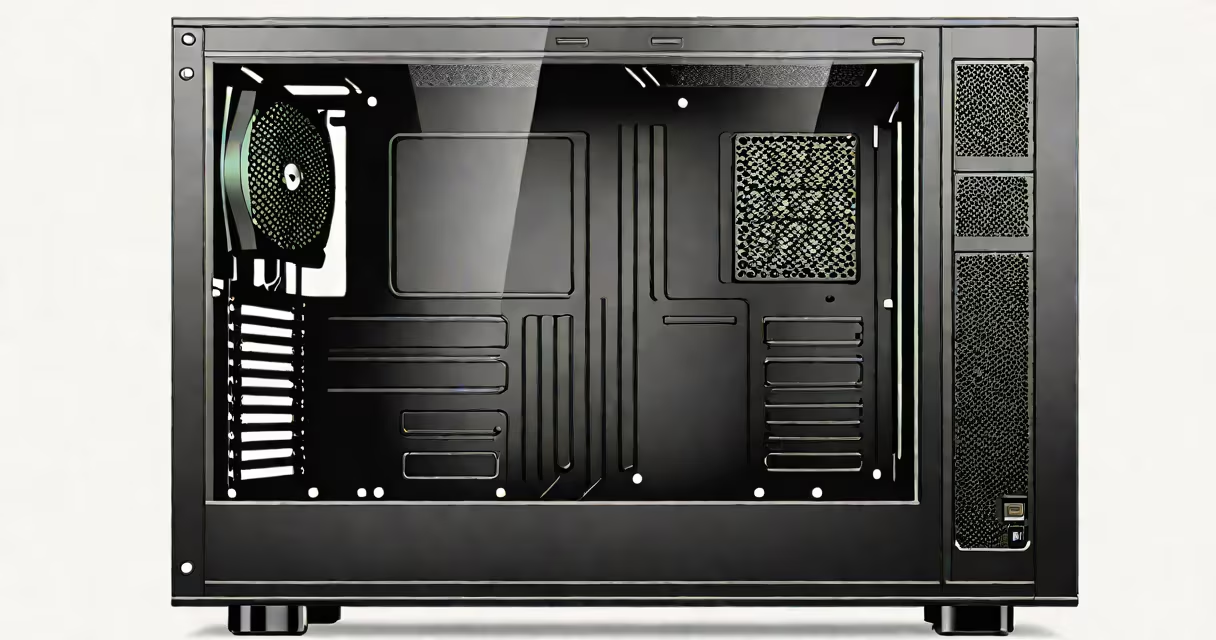
A computer box case, also known as a PC case or computer enclosure, is the external housing that contains and protects a desktop computer's internal components, including the motherboard, power supply, graphics card, storage drives, and cooling system.
The case serves as both a physical barrier against dust and accidental contact and a structural frame that organizes parts for efficient airflow and cable management. Modern cases come in multiple sizes, materials, and designs tailored to performance, aesthetics, and space constraints.
For example, a standard mid-tower case measures approximately 18 inches tall, 9 inches wide, and 20 inches deep-dimensions that fit most ATX motherboards and support up to three 120mm fans or a 240mm radiator. These dimensions are standardized across manufacturers to ensure component compatibility.
Internal components generate heat during operation. The case manages thermal output through ventilation channels, fan mounts, and strategic layout. Air enters through front or bottom grilles, flows over hot components like the CPU and GPU, and exits via rear or top exhaust ports.
Proper case design ensures consistent airflow without turbulence. A well-ventilated case reduces thermal throttling, extends hardware lifespan, and maintains stable performance under load. For instance, a case with a front intake of two 120mm fans and a rear exhaust fan can move around 60 cubic feet per minute (CFM) of air, sufficient for high-end gaming systems.
Cases also manage electrical safety by grounding metal enclosures and isolating high-voltage power supplies. Metal cases provide electromagnetic shielding, preventing interference between components and reducing signal noise.
Computer box cases differ primarily in size, material, and form factor. The most common categories are:
| Size | Height Range | Use Case | Common Features |
|---|---|---|---|
| Mini ITX | 12-16 inches | Compact builds, home theater PCs | Small footprint, limited expansion, often includes integrated power supplies |
| Micro ATX | 16-20 inches | Entry-level gaming, office systems | Supports Micro ATX motherboards, 1-2 drive bays, basic airflow |
| Mid Tower (ATX) | 18-22 inches | General-purpose desktops, gaming rigs | Standard ATX motherboard support, 3-5 drive bays, good airflow options |
| Full Tower | 22-28 inches | High-end workstations, server clusters | Multiple drive bays, room for large GPUs and radiators, modular tool-less access |
Materials include steel, aluminum, plastic, and tempered glass. Steel offers durability and cost-effectiveness. Aluminum improves weight-to-strength ratio and heat dissipation. Plastic is lightweight but less durable. Tempered glass panels allow visual access to internal components and are popular in custom builds for aesthetic appeal.
Some cases feature tool-less drive bays and cable routing channels to simplify assembly. Others integrate RGB lighting, USB-C ports, and front-panel audio jacks. These features are not essential but improve usability and customization.
Many assume that a larger case automatically means better cooling. This is false. Cooling efficiency depends on airflow design, not size alone. A poorly designed full tower with obstructed vents can perform worse than a compact mid-tower with optimized fan placement.
Another misconception is that all cases support the same motherboard form factors. Not true. A Mini ITX case cannot accept an ATX motherboard. Always verify motherboard compatibility before purchasing. The ATX standard specifies a 12-inch by 9.6-inch board, while Mini ITX is 6.7 inches square-nearly half the area.
I once built a gaming PC using a mid-tower case with a single 120mm intake fan and no rear exhaust. After running a stress test, the GPU hit 92°C. Adding a rear exhaust fan dropped temperatures to 78°C. This shows that airflow balance matters more than case volume.
Computer box cases are used in homes, offices, data centers, and specialized environments like studios and labs. They protect sensitive electronics from environmental hazards such as dust, moisture, and static discharge.
In gaming, cases influence build aesthetics and performance. Custom loops with liquid cooling require cases with ample clearance for radiators and tubing. A case with a front panel that blocks airflow can cause sustained high temperatures, leading to reduced frame rates and potential hardware failure.
For professionals in video editing or 3D rendering, cases with high airflow and quiet operation reduce noise during long render times. A case with a sound-dampening interior lining can lower noise levels by 10-15 decibels compared to a standard steel case.
When selecting a case, consider the intended use. A workstation handling AI training may need a full tower with dual GPU support and redundant power supplies. A portable setup for streaming might prioritize a compact Mini ITX case with low power draw and minimal noise.
People often confuse a computer box case with the power supply unit (PSU), which is a separate component housed inside the case. The PSU converts AC wall power into regulated DC voltages for the motherboard, CPU, and GPU. While both are internal, the case is the shell, and the PSU is a functional subsystem.
Another mix-up is equating case size with performance. A case doesn't determine speed-it only enables or restricts component installation. A high-performance GPU won't run faster just because it's in a larger case. Performance depends on the GPU's clock speed, VRAM, and driver optimization.
Case design also affects upgradeability. A case with limited space between the motherboard and the front panel may prevent installing a full-sized GPU or thick RAM modules. Always measure internal clearances before buying components.